Inspect real application state.
Ask your agent what is deployed, read the logs, and check service health. It works from your application’s state and deployment history.
Agent-assisted deployment.
End to end.
Bring your project and the agents you already use. GroundControl connects configuration, rollout and verification on infrastructure you own, with a clear record of every deployment.
Already installed? Continue setup →From the first deploy to the next release, your project stays in your hands. Bring your code, choose your infrastructure, and work with your agent to configure, deploy and verify.
Your project. Every stage of deployment.
The product today · actual interfaceInside GroundControl
Pick a folder from your computer or import a GitHub repository. Your project brings the source, purpose and deployment instances together.
Add source first. Choose its deployments separately.
Add your first project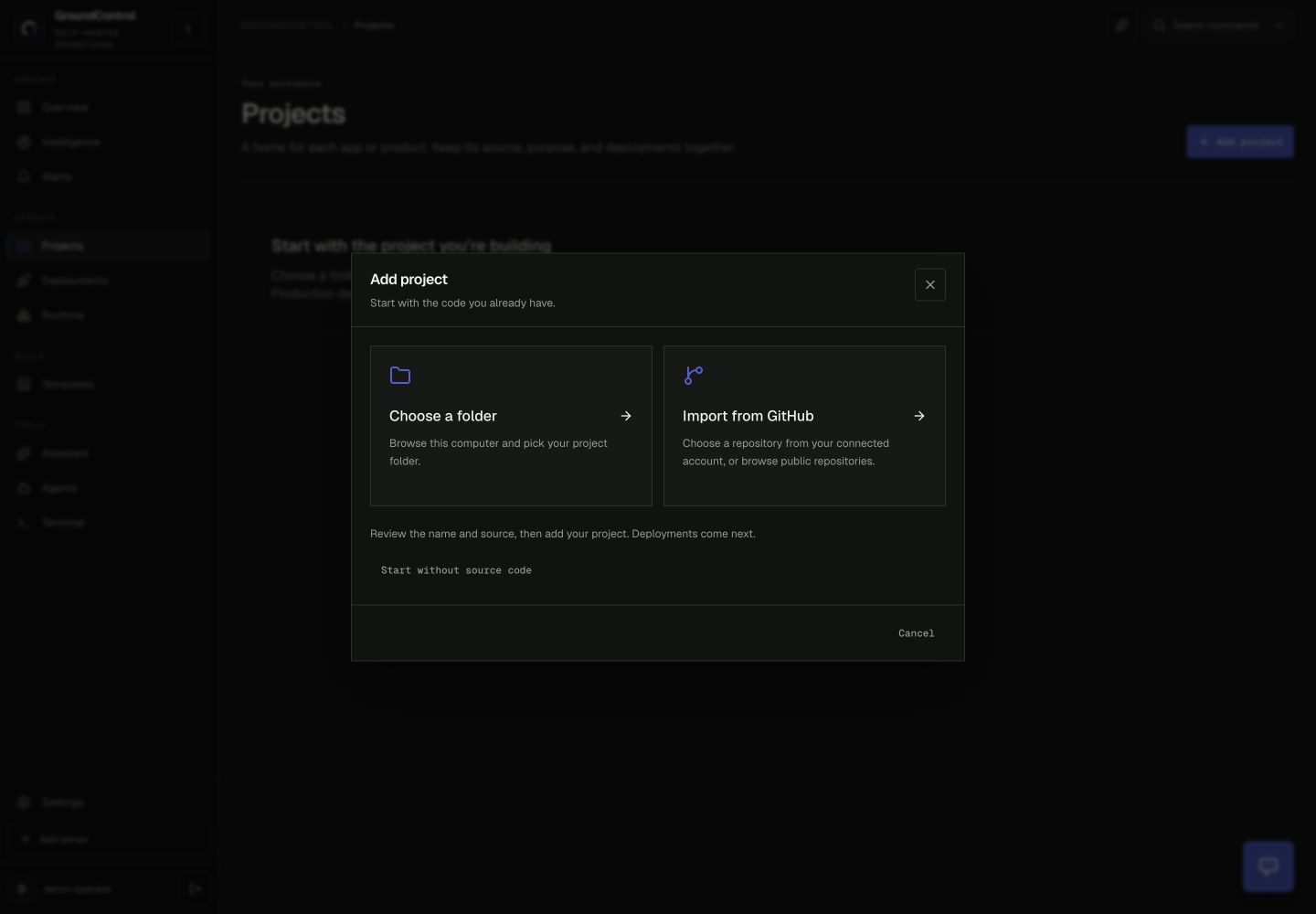
01 / From instruction to execution
GroundControl connects your application’s source, containers, configuration, and public address. Your agent works from that shared context, with tools to carry an authorized request through to a result you can inspect.
Ask your agent what is deployed, read the logs, and check service health. It works from your application’s state and deployment history.
Approve the capabilities and deployments it can use through OAuth. GroundControl executes supported deployment requests on your infrastructure while holding the credentials.
Get runtime checks and public endpoint evidence for the operation. A durable operation ID lets your agent return to the same work after a timeout or in a later conversation.
02 / Start with what you have
Start on your computer or connect an existing Linux server. Add the application you’re building, then decide where and how its deployments run.
Run the launcher on your computer. Choose local Docker or a remote Linux server and open your private setup link.
02Pick a folder or a GitHub repository. Keep the source, context and deployments for your application together.
03Connect an app that already runs, or launch a new instance. Give each deployment its own environment and host.
04Approve the agent’s scope. Start with a health check and follow each authorized operation to its recorded result.
03 / Autonomy without surrender
Bring a project from your computer or GitHub. Connect its existing deployments or launch a new instance on your own infrastructure. Keep your sources and environments together.
MCP gives your agent the tools. OAuth defines its access. You can work through the interface or your agent, using the same application identity and recorded results. Review and revoke access from the Agents workspace.
Read the philosophy and core concepts →An OAuth grant selects the deployment. Operations act on that identity and record their results.
04 / Evidence from a real VPS
For managed workloads with merge automation enabled, a signed GitHub push starts a deployment your agent can follow. In this recorded example, GroundControl deployed RentAWeekend, and ChatGPT inspected its health and operation record through MCP.
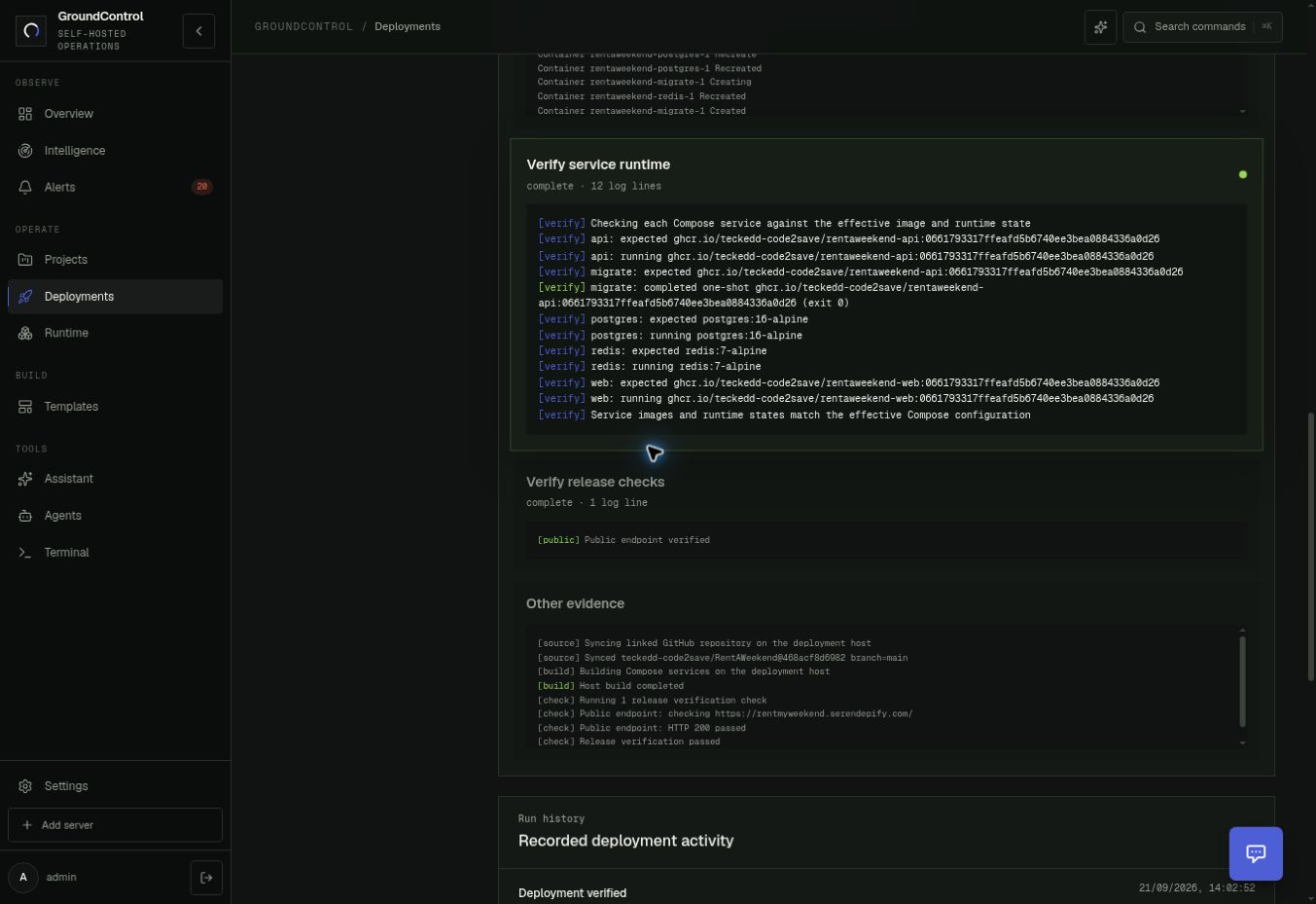
Captured through MCP
Recorded 22 September 2026 through a scoped MCP connection.
Open the health response ↗︎Inspect the deployment record →Serendepify’s vision is a system that understands service relationships, tests affected customer journeys, and helps recover from regressions within an operator’s policy. This is the direction for Autopilot, not a promise of unattended recovery in today’s release.
Explore the Serendepify visionThe operator’s handbook
Follow the commands, product steps and checks for installation, discovery, agent access and deployment.
Explore the handbook →The philosophy, entities and permission boundaries.
Folder and GitHub imports, environments and running instances.
MCP client setup, OAuth consent and a ChatGPT walkthrough.
Durable operations, merge automation and verification.
Start with one host and one application
Install GroundControl, choose an application, and connect your agent. Start with a health check, then explore the operations your workload supports.
Follow the installation guidecurl -fsSL https://raw.githubusercontent.com/teckedd-code2save/groundcontrol/main/scripts/start -o groundcontrol-start
bash groundcontrol-startChoose this computer or a remote Linux server.
macOS / Linux · Windows through WSL · Docker for local installs.