Field notes / 001
GroundControl: open-source agentic deployment with OAuth and MCP.
Your infrastructure, connected to the agents you use.
Connect an agent to your applications, give it a defined scope, and let it work from deployment state. GroundControl brings discovery, execution and verification into one control plane on your VPS.
Give agents the context to act.
An agent can help much more when it knows which application you mean, where it runs and what happened during its last deployment. I built GroundControl to make that operational context available through a connection the operator controls.
GroundControl runs on your infrastructure and connects the application’s source, containers, configuration and public address. You can work through its interface or authorize an agent to inspect workloads, read logs, check health and request supported deployments. Both work from the same workload identity and recorded results.
Start with what is already running.
After installation, GroundControl probes the host and helps you find existing Compose applications and containers. You review the candidates, enroll the applications you want to track and optionally group them into projects. Their files stay where they are. For a new application, Templates guides you through source verification, configuration, review and deployment.
This gives the control plane a useful unit to operate on. One deployment can contain a web service, an API, a database and a cache, with a public route to verify alongside the runtime. The post-install guide walks through both paths.
Connect through MCP and OAuth.
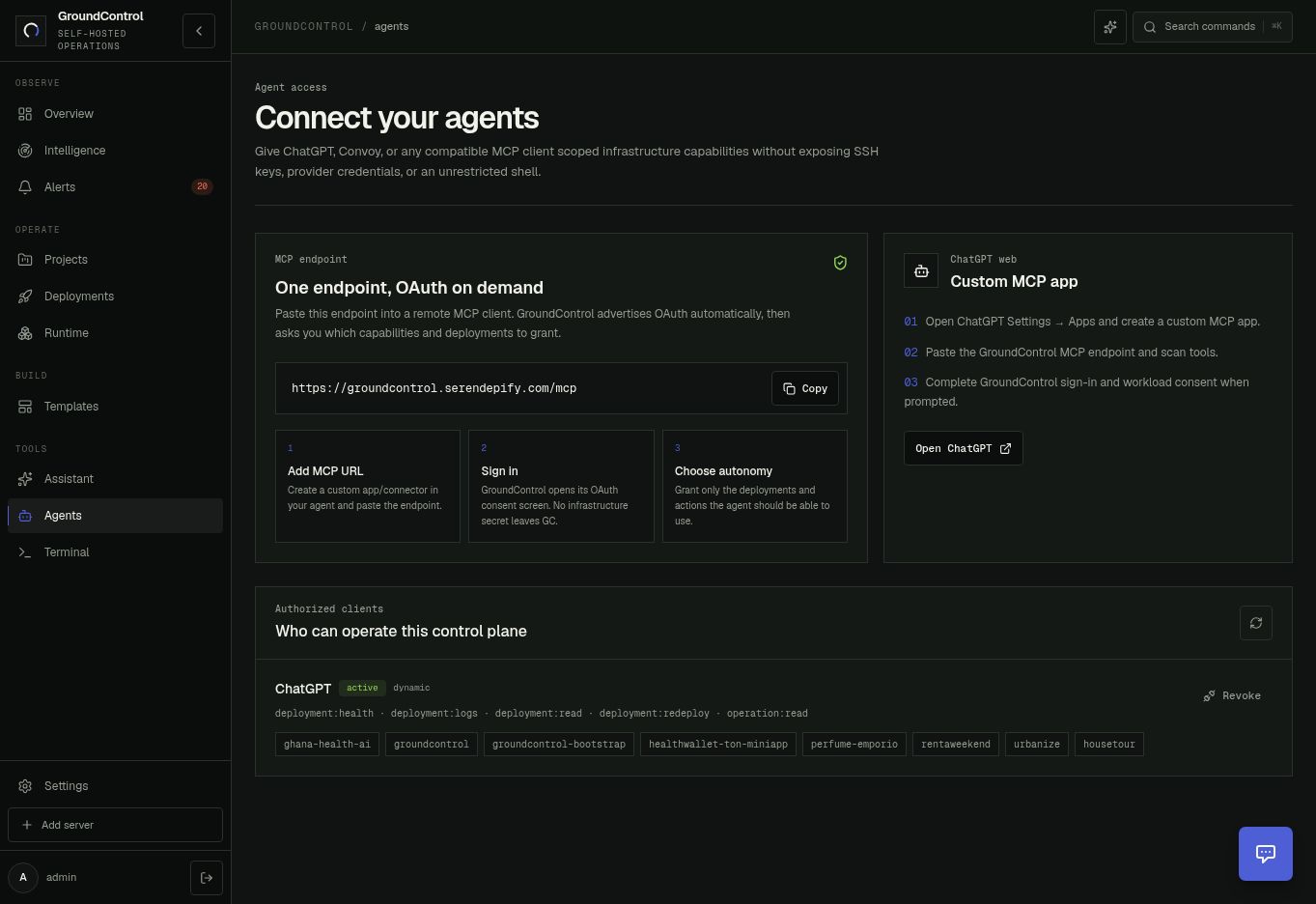
Your instance exposes an MCP endpoint at /mcp. A compatible client connects to that address, signs in through OAuth and requests access. You approve its capabilities and select the deployments it may use. The Agents workspace keeps those grants visible and lets you revoke them.
MCP supplies the tools. OAuth defines the client’s access. GroundControl holds the infrastructure credentials and executes the permitted operations. Once connected, the agent can follow an approved request through to its result without another infrastructure credential handoff at every step.
ChatGPT is one working example of this connection. Its setup is documented in the agent access guide, alongside the endpoint and authorization flow for compatible MCP clients.
A merge becomes an operation you can follow.
For a managed workload with merge automation enabled, a signed GitHub push to the configured branch starts a source deployment. GroundControl checks the repository and branch, creates an operation ID, synchronizes source, prepares configuration and executes the Compose deployment. Runtime and public endpoint checks become part of the operation record.
RentAWeekend exercised this flow on 21 September. The recorded operation completed in one attempt, and its verification returned public HTTP 200. ChatGPT later retrieved the operation through operation.get over MCP.
cmubbc14l0002tjpa0r56r1sm- Trigger
- GitHub push to main
- Execution
- 21 Sep · 14:00–14:03 UTC
- Result
- Success · one attempt
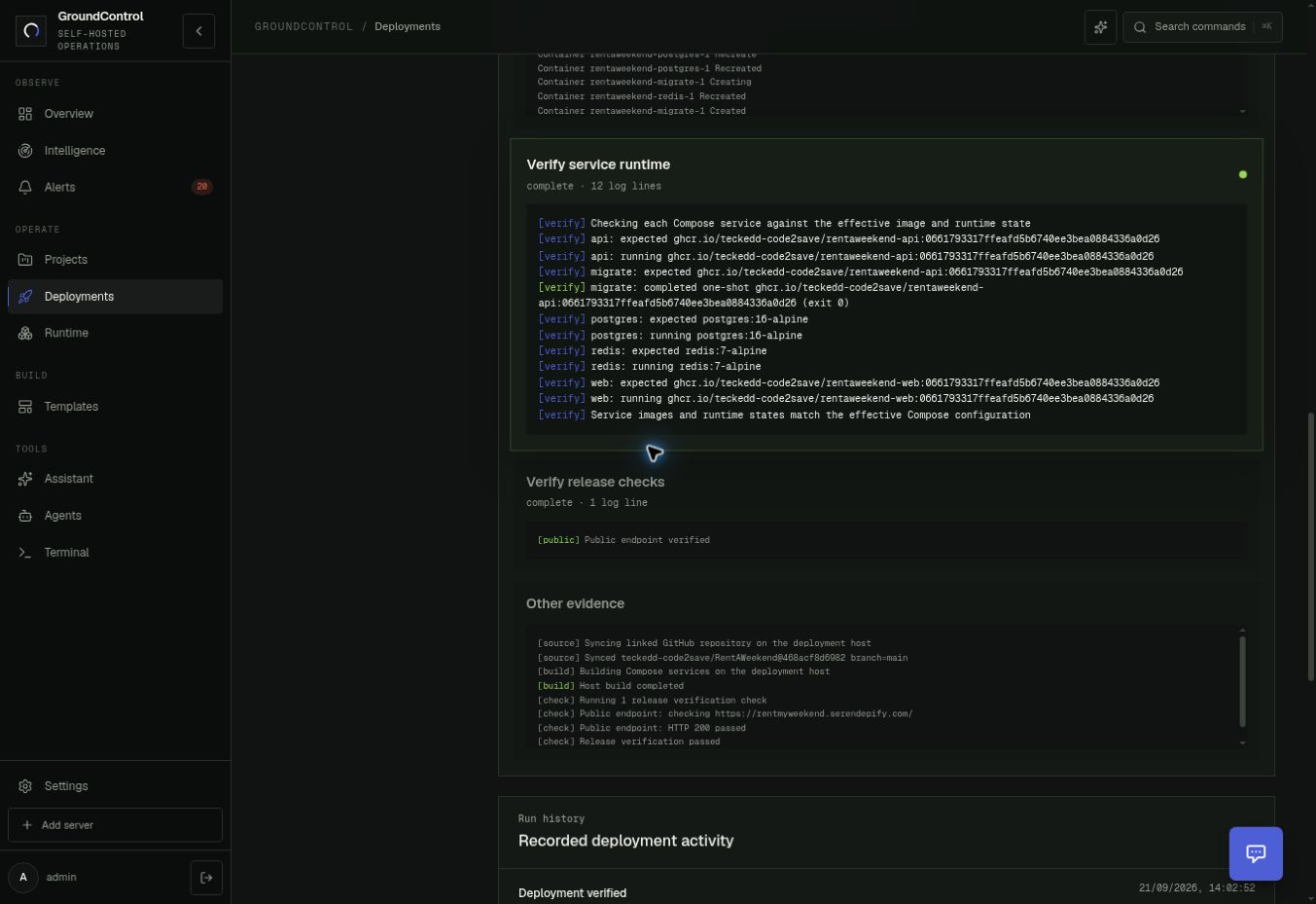
The operation ID also gives a disconnected client a place to return. It can retrieve progress, attempts and evidence from the same request. This makes deployment work useful across tool timeouts and later conversations.
Let the agent inspect the result.
On 22 September, ChatGPT used its scoped connection to check RentAWeekend’s health. GroundControl returned the state of its web, API, PostgreSQL and Redis containers, together with a successful public HTTP check.
{
  "deployment": "rentaweekend",
  "runtime": { "healthy": true },
  "public": { "checked": true, "status": 200, "healthy": true },
  "healthy": true
}
The agent could answer from the application’s state and connect that answer to a deployment record. You can inspect the captured health response and the full verification notes, including the build and image provenance.
Put it to work on your infrastructure.
Start GroundControl from your computer, locally or on a Linux server. Add a project from a folder or GitHub, connect or launch its deployment, and authorize your agent. A health check gives you a first result you can compare with the product interface. From there, follow the deployment guide for the operations your workload supports.